Shopify App for Upsells
Build Post-Purchase upsell funnels
Maximize revenue per customer with optimized post-purchase flows.
Results merchants see with ReSell
Based on 10,317 Shopify stores using ReSell
Up to
+35%Average order value uplift (AOV percentage).
+35%
Non-Disclosure Beauty brand
+33%
Non-Disclosure Outdoor gear store
+32%
Non-Disclosure Pet supplies brand
Average order value uplift
- $2,7M
Total extra revenue generated by Resell.
- +150K
Number of orders where upsell offers were accepted.
- +74
Number of Shopify Plus stores using the app.
Merchants in USA 
local growth
2501 merchants in USA use ReSell❤️. Trusted by local store owners.
Turn Every Sales Channel Into Revenue
Increase Order Value
One-Click Upsells
Offer a complementary product post-purchase with a single-click confirmation (e.g., "Add this for $9.99"). Often used on thank-you pages or post-checkout modals.
Free Shipping Threshold
Encourage upsell by promoting a minimum order amount for free shipping. E.g., "Spend $15 more to get free shipping!"
Bundle Offers
Offer bundles of related products at a discounted price (e.g., “Buy 3 and save 20%”). This helps clear inventory and increase units per order.
Cross-Sell at Checkout
Suggest related or complementary items (e.g., memory card with a camera). Use AI/algorithmic recommendations or hand-picked items.
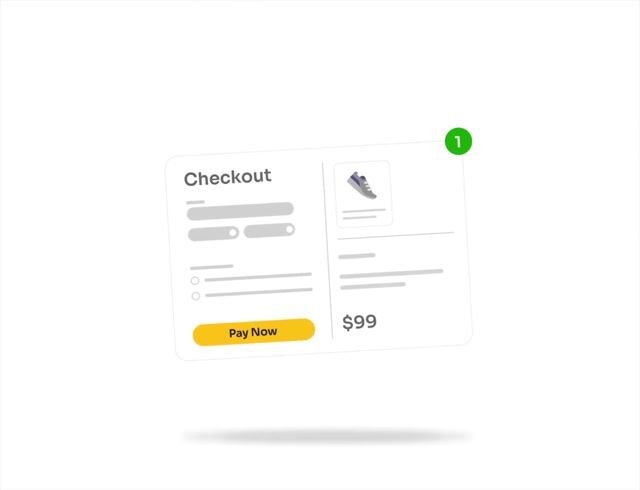
Drive Conversion & Urgency
Limited-Time Offers
Create urgency with a countdown timer or "Only today" message. Combine with discounts to drive impulse additions.
Exclusive Checkout-Only Deals
Offer special pricing or products only available during checkout. Create a sense of privilege or FOMO.
Upgrade Options
Offer product upgrades or premium versions (e.g., "Upgrade to Pro for $20 more"). Effective for digital products or tiered services.
Add-on Services
Provide service-based upsells like warranties, setup, or gift-wrapping. Low-effort addition for the buyer, high-margin for the store.
Retention & Revenue Expansion
Subscription Conversion
Convert one-time purchases into subscriptions (e.g., "Subscribe & save 10%"). Great for consumables or replenishable goods.
Customization Options
Offer personalization for a fee (e.g., engraving, color options, custom messages). Adds perceived value with minimal cost.
Loyalty or Referral-Based Upsells
Offer extra products/discounts if customers refer a friend or join a loyalty program during checkout.
Post-Checkout Email Upsells
Send personalized upsell offers right after purchase. Especially good if your platform doesn't support real-time upsells.
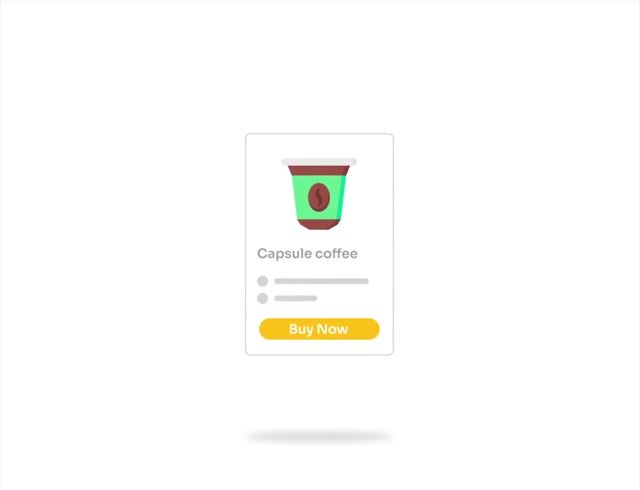
Let’s make a deal
with a bundle products
Optimize your app stack to earn more from every app. Get more. Pay less.
Trusted. Proven. Rated 5.0
Total Reviews 71
SWITCH ( formerly Scrummy Sweets Co.)
Craftbly
Sage & Sill
Seed Golf USA Inc.
SoftwareCW
Radlmann Family Ranch
MY RECOVERY STORE
ExpertPhotography
Babenko Brand

Momavo Jewelry
Baltik Body Art

NUBE KIDS

新樂大型批發OUTLET

TITUS

Holzstufen Meyer
Direct Suspensions

Aboutwood
Prepped Pots | MuscleFood

Ivorie Studio

The Flower Factory

Shatha Al Dafai

Queenslander Aviaries
SHOPIZEM

Piece of Holy Land

Help & FAQs
Quick answers to help you get started with our apps.
- Visit our for help, live chat, and guides.
Visit our Help Center for articles, tutorials, and FAQs.
Post-purchase offers are additional sales pages or blocks displayed to customers right after they complete their purchase, but before they reach the Thank you page. Example: If you sell phones, you can offer related accessories as post-purchase upsell or downsell offers. When a customer accepts an offer, the additional order is charged automatically. The customer can buy a promoted product in one click. These offers are risk-free and can increase the average order value.
No, they don’t need to re-enter their payment information. One-click upsell is available for Post-purchase. When a customer accepts an offer, the product is added and charged automatically. On the Thank you page, customers may need to enter payment details if the offer is processed as a separate order. In this case, the purchase is completed and charged independently.
According to Shopify rules, the customer can accept a maximum of three post-purchase offers for each checkout and an additional offer on the Thank you page.
1. Checkout (available for Shopify Plus stores only) After completing checkout, the customer sees the first post-purchase upsell offer. 2. Post-Purchase Offers If the customer accepts the first offer, they are shown a second upsell offer (optional). If they decline the first offer, a downsell offer (optional) can be displayed instead. 3. Thank You Page After completing the post-purchase offers, the customer is redirected to a Thank you page where you can display another offer. 4. Order Status Page On the Order Status page, you can showcase extra products, collections, or automated offers to encourage repeat purchases.
You can create an unlimited number of funnels. Our application is free and doesn’t have limitations for funnel creation.
Sure! ReSell has a built-in editor. Lots of different widgets are available for customization in post-purchase and Thank you page offers. NO coding skills are required. All offers can be customized, so they will look harmonious with the design of your store.
No, there are no limits on customers' orders.
Yes, ReSell allows you to display offers based on the customer’s location. You can show specific products to customers from selected countries and restrict offers by shipping regions if needed.
If you’d like to learn more about the app, you can book a call with our support manager. They’ll contact you at the scheduled time and provide a live demonstration of the application.
Yes, of course! Our support managers work 24/7 and you can contact them anytime. There are a few ways to contact us: email, live chat, and call. Relevant features you will find inside the application or you can write to our e-mail: [email protected].