



In 2026, mobile devices drive 78% of all e-commerce traffic, yet most merchants struggle with a "conversion gap" on mobile. A responsive website helps people discover a store, but it was never built for the repeat visits a store needs to grow.
The average cart abandonment rate is 70.19%, and long checkout forms are a big part of it. A native mobile app removes most of that typing with Face ID and stored payment details, the kind of friction that costs 18% of web sales. A recent study found that mobile app users buy more often and that native apps convert, on average, 157% better than mobile web pages.
That gap is why we built iMobile, a Shopify mobile app builder that turned a Shopify store into a native iOS and Android app. We retired iMobile in August 2026, and the update at the end of this article explains why. The engineering notes below still hold for anyone building a native mobile app for Shopify.
How we built iMobile with React Native and the Shopify APIs
We chose React Native because it let us write most of the app once and ship it to both iOS and Android. The app keeps a native feel and stays affordable for merchants.
The Tech Stack:
- Rendering: React Native renders native components, so the app runs faster than a PWA.
- Data: Shopify's Storefront API and Admin API keep products, carts, customer logins and orders in sync in real time.
- Builds: A Node.js backend stores each theme configuration and runs the build pipeline. When a merchant clicked "Request Build," our servers compiled that configuration into the app binary.
- Customizer: A web interface inside the Shopify admin, built on the App Bridge pattern. Merchants saw a live preview of colors, fonts and layouts before the configuration went to the build.
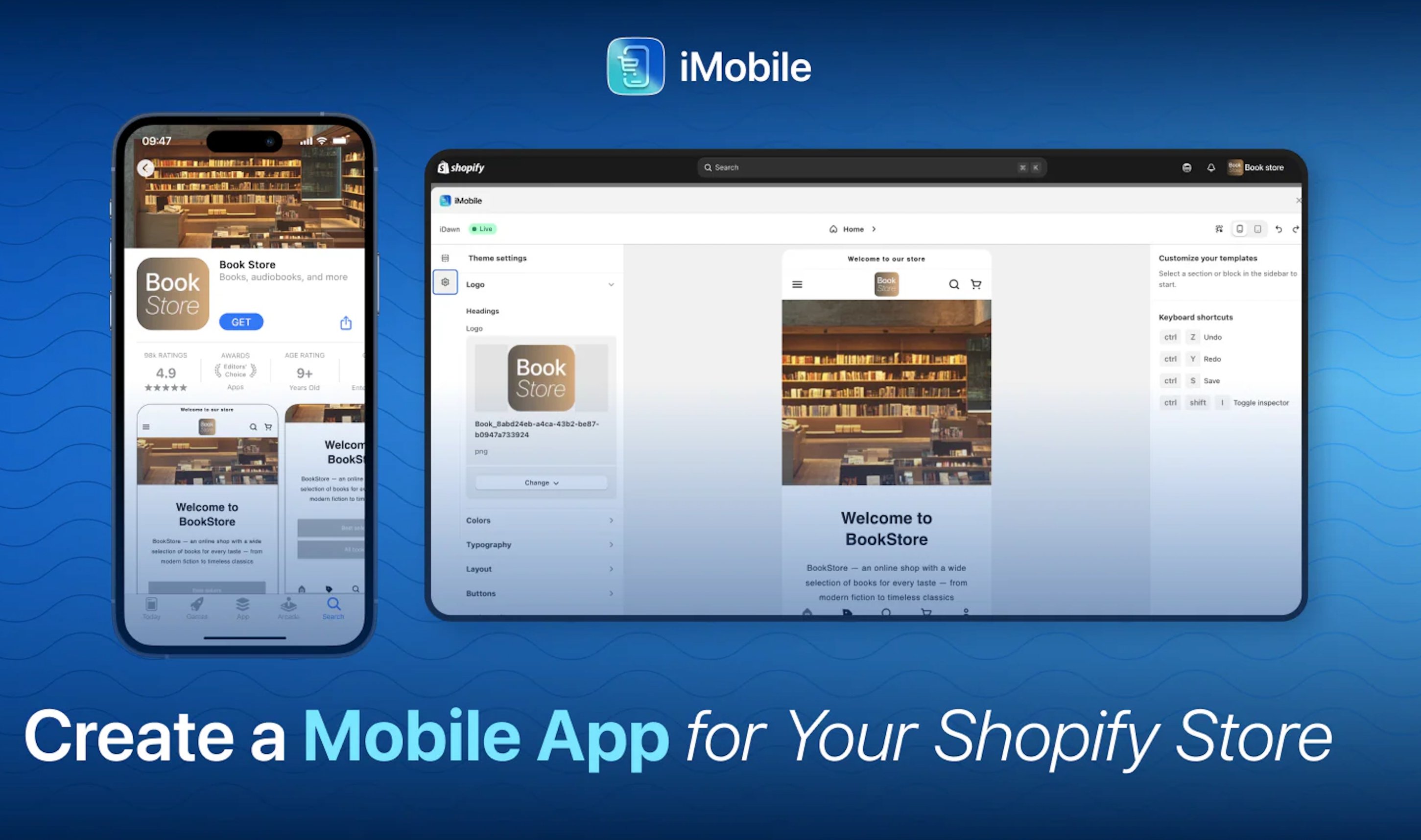
What we added before launching iMobile
Most developers ship a mobile app the moment the "Buy" button works. We didn't.
Halfway through the build we had a working version, but not one a merchant could stake a brand on. We held the release back to add the features that drive revenue:
- Shopify Markets: native support for multi-currency pricing, multi-language content and market-specific catalogs.
- Push notifications: promotions and order updates, set up in the dashboard and delivered through native iOS and Android push.
- Navigation Builder: a component library that let merchants mirror their website or design a mobile menu and tab bar. Mirroring started from the current storefront design. If you aren't sure which theme your store runs, the free Shopify theme detector from Koala Apps names it in a couple of seconds, and from there you can carry the palette and fonts into the app.
Who built iMobile and how the team handled turnover
iMobile was built by a cross-functional team at DevIT: a React Native developer, a backend engineer, a UX designer, a QA engineer and a product manager.
The team changed completely between the start and the end of the build. Documentation carried us through: specs, API notes and decision logs worked as the handoff layer, so new people picked up the work without losing pace.
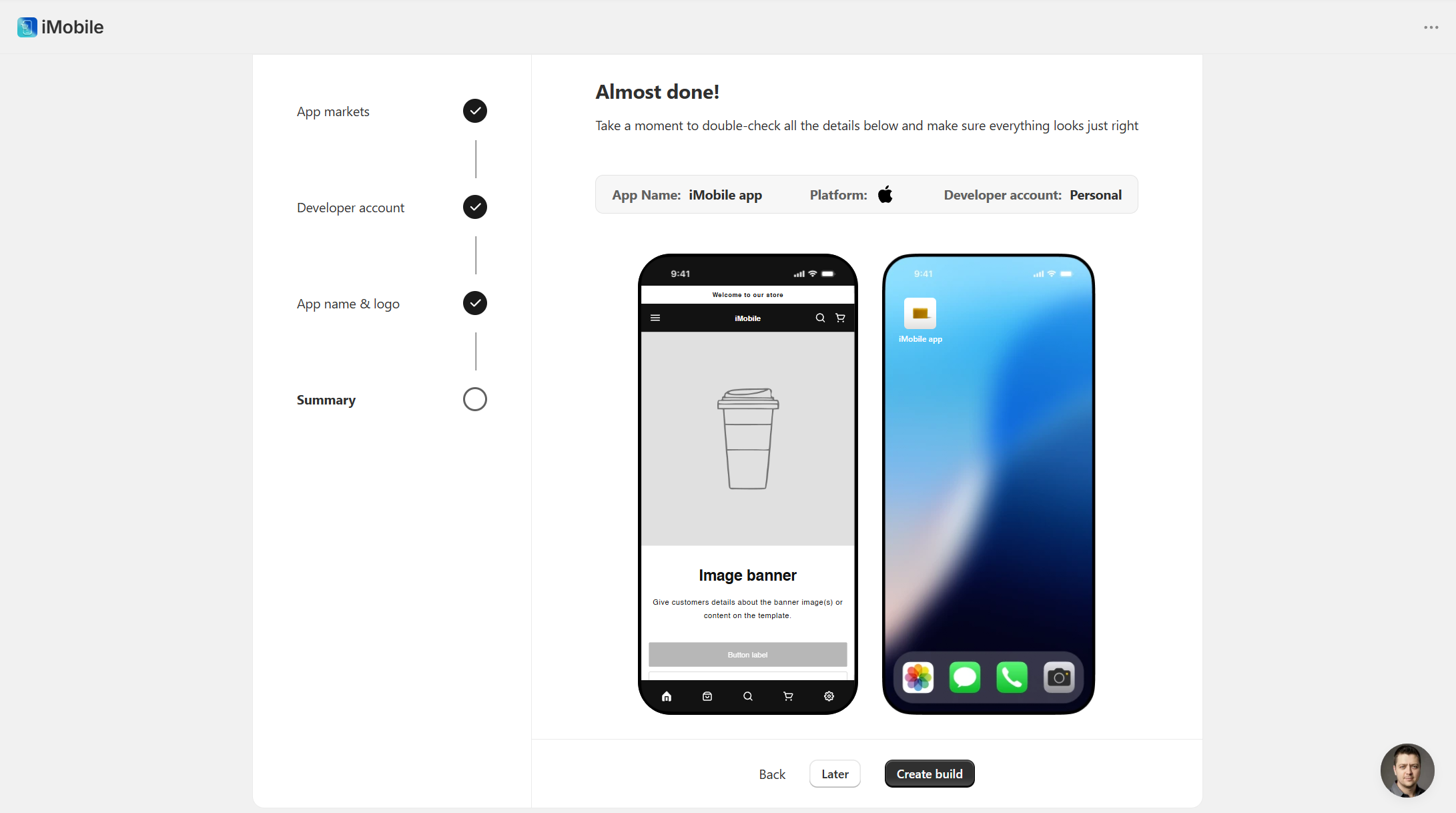
How merchants set up their Shopify mobile app in iMobile
Merchants handled the whole setup inside the Shopify admin: visual customization, navigation and build requests. They could connect their own Apple and Google developer accounts to publish under their own brand, or publish through our account and skip that setup.
Merchants didn't need a rebuild every time a price changed. Product updates, inventory and theme adjustments synced in real time. Customer login was native too: existing customers signed in with their current credentials and saw their full order history.
From installation to a live app, the process typically took one to two weeks, most of it waiting for the App Store review. When Apple had questions, our team handled rejections and resubmissions quickly, because we had been through the review enough times to know it.
iMobile on the Shopify App Store
When we first published this article, iMobile had just gone live on the Shopify App Store.
We built it for merchants who wanted a native app that was affordable and could scale with their store.
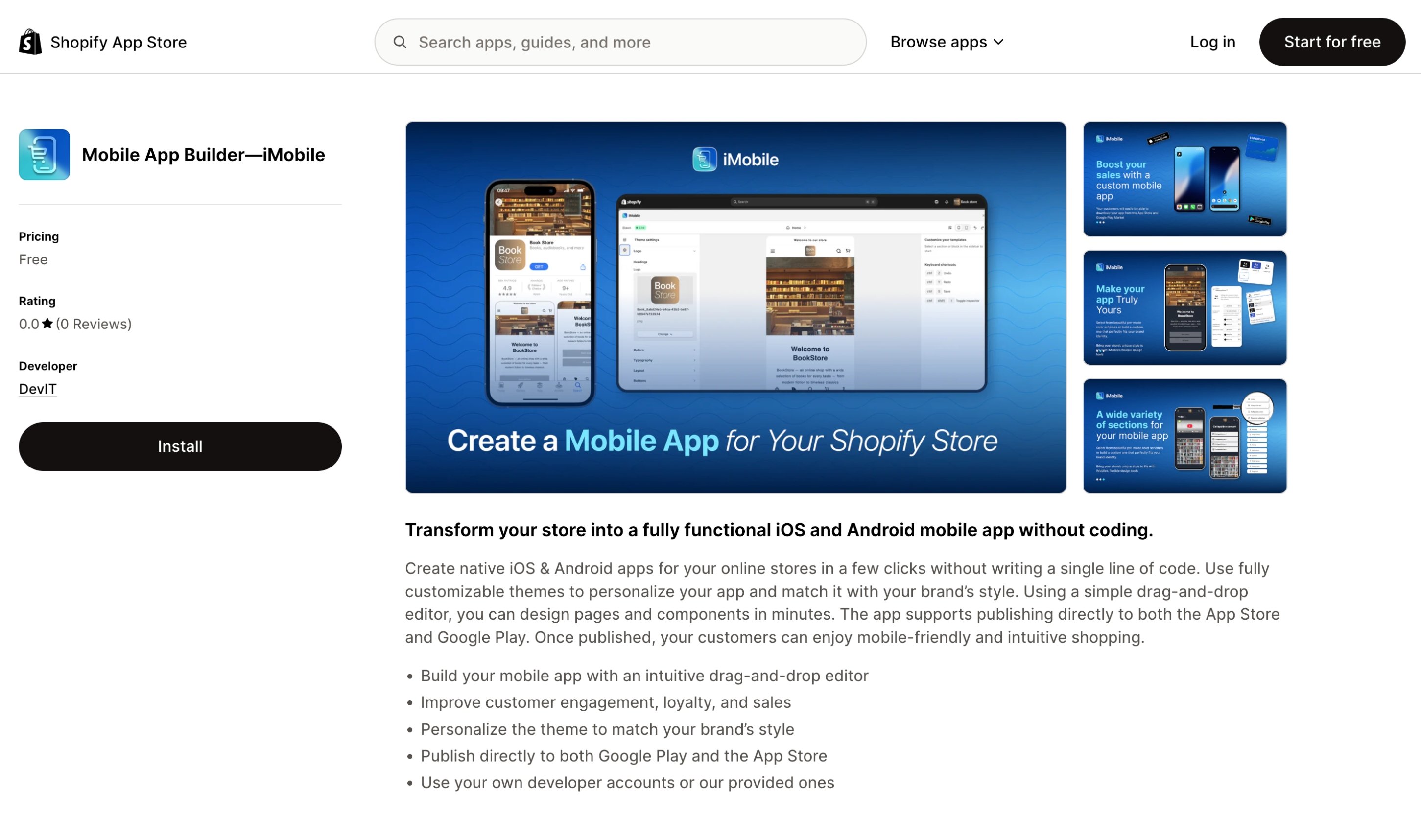
For the product overview and the features we shipped, see the iMobile case study.
Why we retired iMobile (update, October 2026)
iMobile is no longer available. We removed the app from the Shopify App Store in August 2026, about four and a half months after launch. The market moved faster than we did. A small merchant who wants a mobile app can now get one with AI tooling for a fraction of the effort, and that part of the demand went away before we could capture it. Larger brands, the ones with the budget for a native app, go to vendors that have been on the market for years and have the references to show for it. We were in the middle, with a product that was engineered well but had no gap to grow into.
The engineering choices above still hold, and the lesson is the one from "When a Good Idea Isn't Enough" below: a working product is not the same as a product the market has room for.